Match Records by External ID
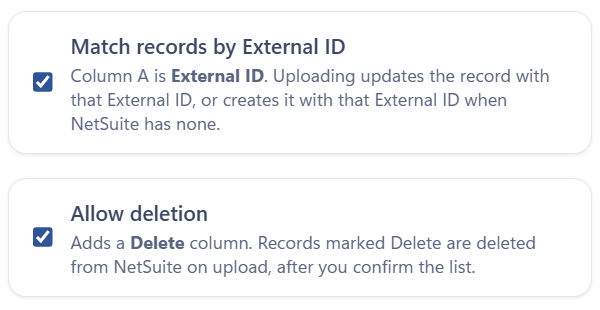
A template with Match records by External ID puts an External ID column first on the sheet. Uploading updates the record that has that External ID, or creates the record with that External ID when NetSuite has none. Use it to keep NetSuite in step with IDs from another system, such as invoice numbers from a billing system or customer codes from a CRM, without looking up Internal IDs first.
Turn It On
- On the template's Basics area, check Match records by External ID.
- Save the template.
- Create a new sheet from it. Sheets created before the change keep their columns.
The Sheet
- Column A is External ID. It is formatted as text, so a value such as
00123stays as typed. - Column B is Internal ID.
- Use a new External ID for new records.
- A download writes each record's External ID in column A, blank when the record has none, and its Internal ID in column B. Filter By
idfilters on the Internal ID.

What Upload Does
When you upload, Finsyte looks up each changed record's External ID in NetSuite before saving it. Excel's status bar reads Looking up records by External ID (N).
| External ID (A) | Internal ID (B) | Upload |
|---|---|---|
X, not in NetSuite | Blank | Creates the record with External ID X. |
X, on record N | Blank or N | Updates record N. |
X, not in NetSuite | M | Updates record M and gives it External ID X. |
| Blank | M | Updates record M. Its External ID stays as it is. |
| Blank | Blank | Creates the record without an External ID. |
X, on record N | M, a different record | Holds the record back. See Messages. |
After a save, the record's External ID and Internal ID are written on every one of its rows.
Give a Record an External ID, or Change It
- Download the record.
- Type the new External ID in column A. Keep the Internal ID in column B.
- Upload. NetSuite saves the record with the new External ID.
Rows of One Record
- Rows belong to one record when they share an External ID or an Internal ID. Rows with no IDs belong with the record above them, by their body values or Record Group, as on any sheet. See Records with More Than One Row.
- External IDs match without regard to case, as they do in NetSuite, so
INV-1andinv-1name the same record. Spaces, periods, and|can be part of an External ID. - Give each record its own External ID, and keep each record's rows together.
Update Records From Another System
To change records that are already in NetSuite, download them first. Downloaded rows carry each line's Line ID, so only your changes are sent.
Rows you type or paste for a record that NetSuite already has are sent as that record's complete set of values, the same as rows typed with an Internal ID: blank cells clear those fields, and the rows replace the record's lines. Fill in every column you want to keep. See New Records and Existing Records.
A record whose rows haven't changed since its last download or upload is skipped without a lookup. Typing or changing its External ID counts as a change.
Validate
Validate Sheet shows Will create or update for a record with an External ID and no Internal ID, because the lookup at upload decides which it is. The banner adds N to create or update by External ID.
Messages
A record held back is not sent, its ID cells are marked, and the rest of the sheet uploads.
| Message | What to do |
|---|---|
External ID <X> belongs to record <N> in NetSuite, not to Internal ID <M> on this row. Correct one of them. | Change the External ID or the Internal ID so that both name the same record. |
Rows of this record have different External IDs (<A>, <B>). Give every row the same one. | Enter the same External ID on every row of the record. The same message names Internal IDs when those differ. |
External ID <X> is on more than one record on this sheet (rows <N>, <N>). Give each record its own External ID, or keep a record's rows together. | Move the record's rows next to each other, or give each record its own External ID. |
The records in rows <N>, <N> are all record <id> in NetSuite. Keep one record's rows together, or correct its External ID or Internal ID. | Combine the rows into one record, or correct the IDs. |
NetSuite was too busy to look this External ID up. Upload again. | Upload again. Nothing was sent for that record. |
This entity already exists. | Another NetSuite record already has this External ID. Give the new record a different one. |
Remarks
- Column A is the External ID that's sent. If the template also has an External ID column, that column shows NetSuite's value after a save, and editing it changes nothing. On a sheet that matches by Internal ID, that column is sent as typed, so it sets a record's External ID there.
- New records are created in batches, each with its External ID. A record created from another transaction, such as an invoice from a sales order, gets its External ID too.
- Everyone who works on these sheets needs the current version of Finsyte. See Sheets From Older Versions.
Next step: Delete Records