NetSuite Excel Add-in Features
Live data in every cell, and records that write back to NetSuite. Everything your team needs to report on NetSuite and update it, without leaving Excel.
Every feature at a glance
Report on NetSuite data
- Excel functionsExcel functions that return live NetSuite balances, budgets, Saved Searches, SuiteQL queries and SuiteAnalytics datasets in any cell.
- Saved SearchRun any NetSuite Saved Search from a cell, with parameters, as a live dynamic array.
- Drill downRight-click any NetSuite balance in Excel to break it down by subsidiary, period, segment or entity, or list the transaction lines behind it.
- RefreshRefresh NetSuite data in Excel by workbook, sheet, selection or cell, and save static snapshots to share reports with people who don't use Finsyte.
Write back to NetSuite
- Bulk RecordsNewDownload, edit and upload 155+ NetSuite record types from Excel, including your custom records. A simpler alternative to CSV imports.
- BudgetsBuild NetSuite budgets in Excel with actuals beside them, then upload them to NetSuite's native budgets. No extra planning module required.
- Journal entriesCreate, validate and upload NetSuite journal entries from Excel, including advanced intercompany entries, and edit existing entries in place.
Live NetSuite Data in Every Cell
Finsyte functions bring NetSuite data directly into individual Excel cells — not just a refreshable table. Each function lives in its own cell, so your report structure stays clean and maintainable. Reference those cells across sheets, build calculated fields around them, and let IntelliSense guide you as you type. Your existing Excel skills transfer directly.
Create and Edit NetSuite Records from Excel, in Bulk
Bulk Records downloads NetSuite records into an Excel sheet, from customers and items to sales orders and vendor bills. Edit it with everything Excel offers and upload: new rows become new records, only the records you changed are sent, and each row links straight to its record in NetSuite. For teams that work in Excel, it's a simpler alternative to CSV imports.
Budgets in Excel, Synced to NetSuite
Build a budget in Excel with actuals beside it for context, then upload it to NetSuite's native budgets. Download an existing budget to revise it the same way. For teams that prefer to plan in Excel, it's a simpler option that keeps NetSuite the system of record.
Create and Upload Journal Entries from Excel
Build journal entries directly in Excel — standard, intercompany, and entries with custom segments or custom fields. Validate before you post and upload to NetSuite with one click. Multi-entity organizations get full intercompany support out of the box.
- Edit existing entries — forgot to tag a department? Fix it in Excel and upload
- Load an existing journal entry and use it as a template to create a new one
- All NetSuite approval workflows continue to function as expected
- Validate before upload — catch errors before they post
Silent screen recording in Excel. Cell A1 is labeled Location, and the Finsyte Dropdowns menu adds a location dropdown to cell B1, set to Boston (Hierarchy). From Functions on the Finsyte ribbon, the registered function FSN.SavedSearch.SalesandMarginReport is inserted. Its Function Arguments dialog has one argument, Location, which is pointed at B1. The results list one row per item stocked in Boston, with on-hand, on sales order, and on purchase order quantities, sales for each of the last three months and month to date, a three-month average, average cost, average sales, and average margin. Changing B1 to San Francisco (Hierarchy) reruns the search and returns San Francisco’s items. Setting B1 to No Location returns every item across all locations.
Your Saved Searches, in Excel
Run any Saved Search from an Excel cell by typing its name, or turn one into its own function with parameters you name. Point a parameter at a cell and Finsyte sends its value to NetSuite as a filter, so one search covers every location, customer, or date range. Results return as live dynamic arrays from any record type.
- Pass parameters like location, customer, or date range, and Finsyte sends them to NetSuite as filters
- Works with all record types, including transactions, items, vendors, and custom records
- Compatible with Power Query for joining multiple searches
Drill Down from Summary to Source in Seconds
Click any figure in your report to see the underlying NetSuite transactions. Finsyte opens a detail sheet right in your workbook — drill all the way down to the original entry without leaving Excel. Full OneWorld support means multi-subsidiary drilldown works exactly as expected.
Financial Templates Built for Accountants
Start with professionally designed financial templates that follow proven model-building layouts — structured formulas, clean formatting, and Excel groupings that let you collapse detail rows into summary values. Each template mirrors the layout of its standard NetSuite report, so you can easily validate your numbers against NetSuite. Then make it your own: add columns, write formulas, apply conditional formatting, build charts. It's still Excel.
- Balance Sheet, Income Statement, Cash Flow, Trial Balance, Budget vs. Actual
- Shareable across your team — everyone starts from the same baseline
- Fully connected to live NetSuite data — refresh with one click
- Customize and extend by any NetSuite segment — subsidiary, department, location, classification, custom segments, and more
Refresh at Any Level — Workbook, Sheet, or Cell
Refresh a single cell, a sheet, or the entire workbook — you control the granularity. Finsyte's optimized queries run against NetSuite summaries, not raw transaction tables, so refresh is fast even on large datasets. Result: 1–2 MB files that open instantly, not 300 MB workbooks that take minutes to load.
Build Reports with Claude — and Verify Every Number
Add the free Finsyte skill to Claude and let AI build your financial models inside Excel. Instead of returning a number you can't verify, Claude builds the report with live Finsyte functions — so every figure traces back to NetSuite, refreshes on demand, and you can right-click to drill into the detail behind it.
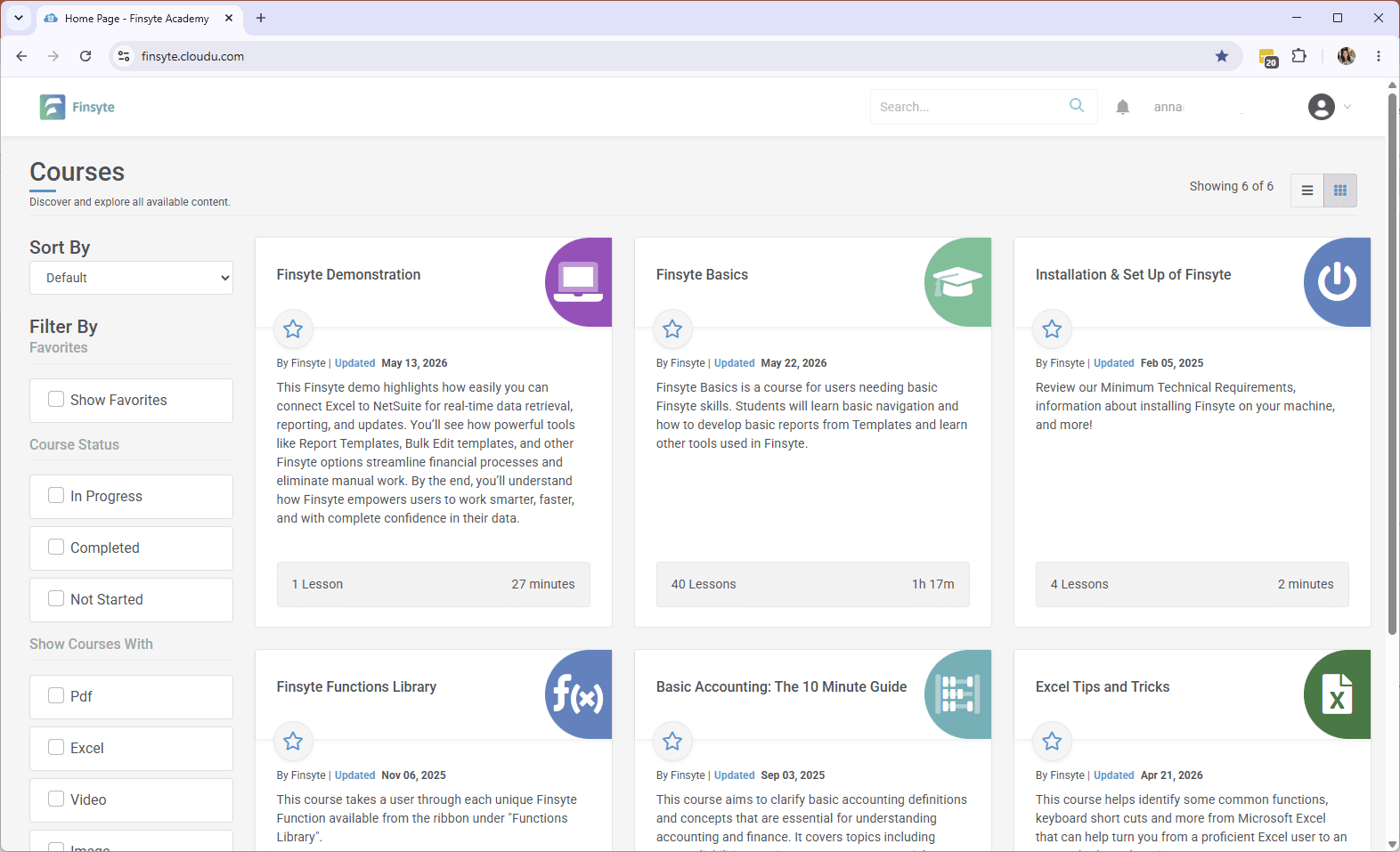
Get Your Team Up to Speed in the Finsyte Academy
Bite-sized video courses walk your team through installation, the Finsyte function library, accounting fundamentals, and the Excel patterns finance teams should know. New users follow a guided onboarding path; experienced teams dip in for the advanced lessons.
Share Reports Without Sharing Credentials
Export polished reports to share with stakeholders who don't need live NetSuite access. For internal teams, each user connects with their own NetSuite access token — role-based permissions apply automatically. No additional NetSuite modules required for any user.
Export & Share
Create polished static reports to share with stakeholders who don't have Finsyte installed.
Governance-Friendly
Each user authenticates with their own NetSuite access token — role-based access enforced automatically.
No Extra Licenses
Connects via NetSuite's native REST API. No extra licenses or add-ons required.
Simple to Start. Nothing Extra to Buy.
30-Day Free Trial
Full access to all features. Self-serve setup.
No ODBC Required
Direct REST API connection. IT not required.
No Extra Add-Ons
Save thousands per year vs. tools that require additional licenses.
No Implementation Fees
Typical time to first report: under 5 minutes.
Ready to transform your reporting?
30-day free trial. Full access to all features. No credit card required.
*** Claude is a product and registered trademark of Anthropic, PBC; Finsyte is not affiliated with, endorsed by, or sponsored by Anthropic. NetSuite is a trademark of Oracle Corporation. Microsoft Excel is a trademark of Microsoft Corporation. AI-generated output can contain errors. All reports, including those generated by AI, should be independently validated for accuracy, completeness, and appropriateness before being relied upon for decision-making, financial reporting, audits, regulatory filings, or any other business purpose.