Bulk Records
The Bulk Records pane is one of the panes in the Finsyte Preferences dialog, opened from Help > Preferences in the Finsyte ribbon. It controls how Bulk Record Templates are refreshed and how dropdowns are assigned to template columns.
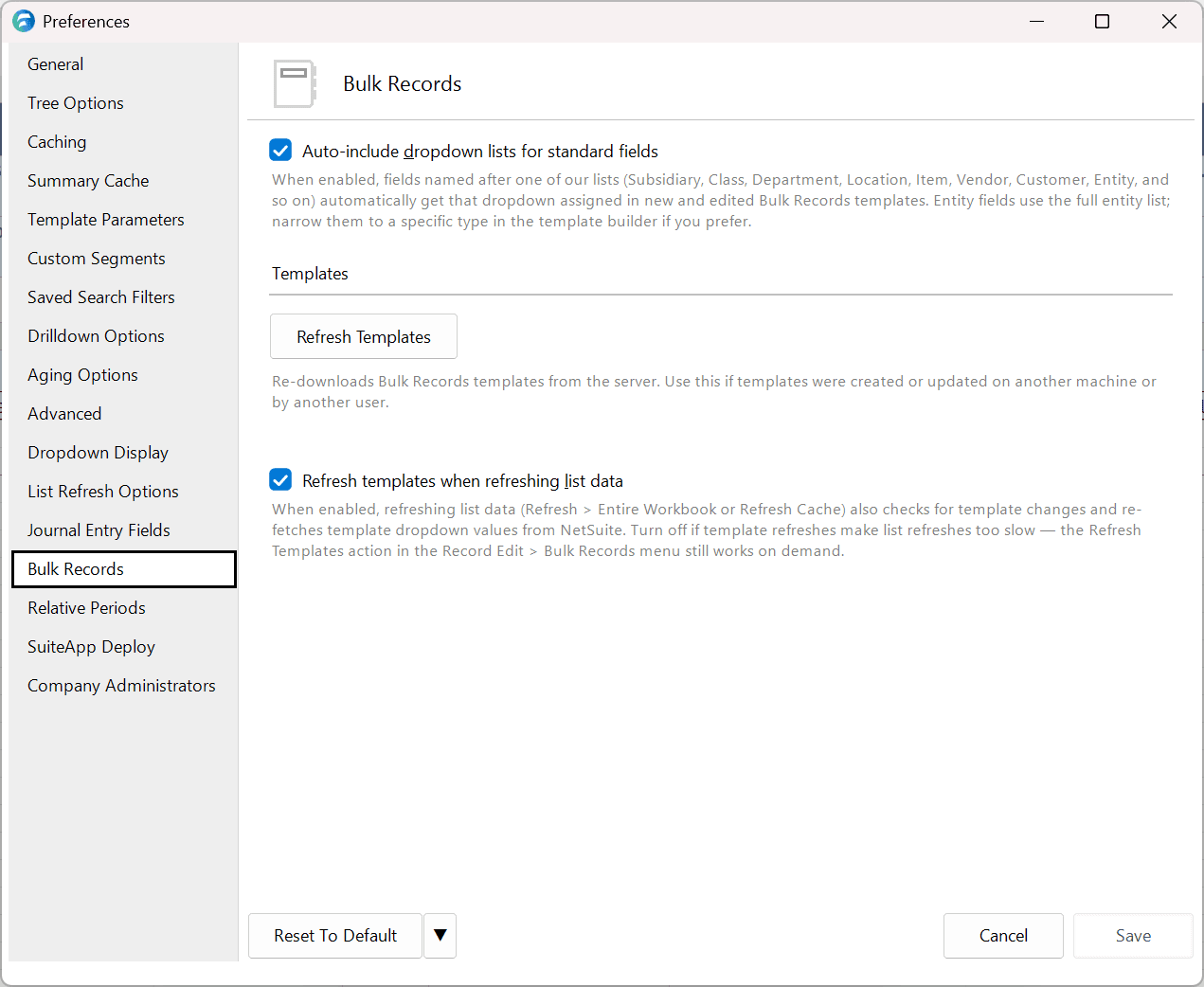
| Option | Description | Default |
|---|---|---|
| Auto-include dropdown lists for standard fields | When checked, template fields named after one of Finsyte's lists (Subsidiary, Class, Department, Location, Item, Vendor, Customer, Entity, and so on) automatically get that list as their dropdown in new and edited templates. Entity fields use the full entity list; narrow them to a specific type on the template's Dropdowns area if you prefer. | Checked |
| Refresh Templates | Downloads the templates for your company from the Template Portal again. Use it when templates were created or changed on another computer or by another user. The status line reports Loaded N templates from server. | |
| Refresh templates when refreshing list data | When checked, refreshing list data with Refresh > Entire Workbook or Refresh > List Data also checks for template changes and fetches template dropdown values from NetSuite again. Uncheck it if list refreshes become slow; Bulk Records > Refresh Template Definitions still refreshes on demand. | Checked |
Related Settings
Other preferences also affect bulk record sheets.
| Pane | Setting | Effect |
|---|---|---|
| Advanced | Max Outstanding Requests | How many records are fetched from NetSuite at once during a download or upload. |
| General | Override Computer Time Zone | The time zone stamped on new sheets that have Date/Time columns. Existing sheets keep the zone they were created with. |
| Dropdown Display | Account, Item, and Entity display | Which name or number is shown in those dropdowns and matched on download and upload. |