Advanced
The Advanced pane is one of the panes in the Finsyte Preferences dialog, opened from Help > Preferences in the Finsyte ribbon.
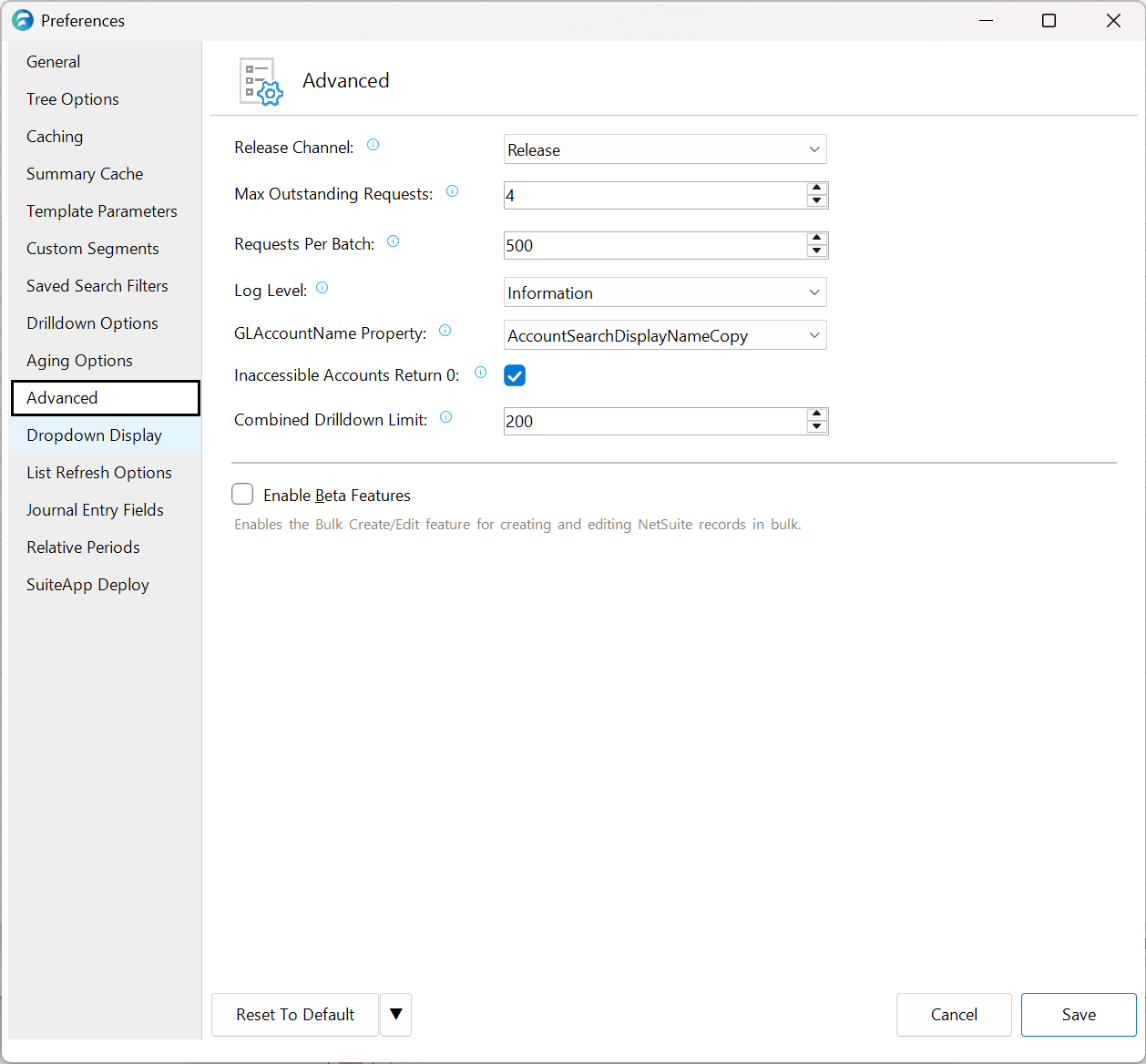
| Option | Description | Default |
|---|---|---|
| Release Channel | As Finsyte automatically updates Finsyte versions, the release channel determines what release a user is on. Switching the Release Channel may require and restart of Excel to re-apply the new version. | Release |
| Max Outstanding Requests | Configures the maximum number of simultaneous requests issued. This number should be less than or equal to the max concurrency limit (opens in new tab) defined in NetSuite for the Finsyte TBA integration record. | 4 |
| Requests Per Batch | Controls how many Excel function call requests to attempt to batch at one time. Values larger than 500 can result in paging, which may impact performance. Smaller values will result in more calls to NetSuite, but may perform better when dealing with larger data sets | 500 |
| Log Level | Indicates the level of logging displayed when you choose Diagnostics > Show Log. Selecting any level will display that level and all levels below. If you want to see everything the application logs, choose Verbose. | Information |
| GLAccountName Property | The column from the GL Accounts list to return for the GLAccountName function. | AccountSearchDisplayName |
| Inaccessible Accounts Return 0 | Rather than returning an error is an account is not accessible for a certain subsidiary, this option, when checked, will return 0 instead. | Checked |
| Combined Drilldown Limit | Sets the maximum number of Finsyte functions that can be merged into a single combined drilldown when right-clicking a multi-cell selection. | 200 |