Relative Periods
The Relative Periods pane is one of the panes in the Finsyte Preferences dialog, opened from Help > Preferences in the Finsyte ribbon.
Relative Periods allow <Current> and offset values such as <Current - 1> or <Current + 2> to appear as selectable options in the Fiscal Year and Period Number dropdowns. These values resolve dynamically at run time rather than being fixed to a specific year or period.
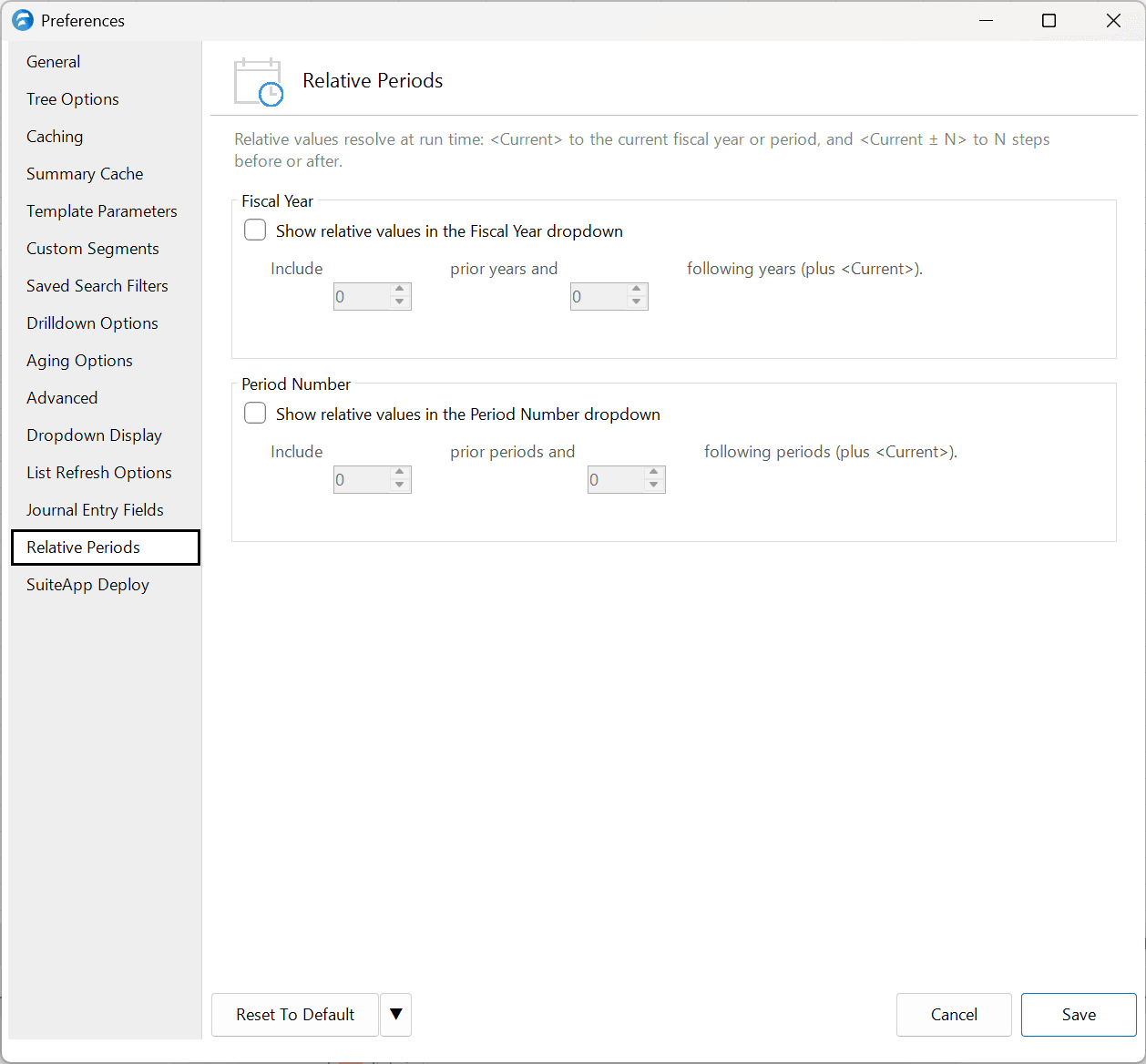
Fiscal Year
| Option | Description | Default |
|---|---|---|
| Show relative values in the Fiscal Year dropdown | When checked, adds <Current> and relative offset entries to the Fiscal Year dropdown for use in functions and templates. | Unchecked |
| Prior Years | Number of prior fiscal years to include as relative options (e.g., a value of 1 adds <Current - 1>). | 0 |
| Following Years | Number of following fiscal years to include as relative options (e.g., a value of 1 adds <Current + 1>). | 1 |
Period Number
| Option | Description | Default |
|---|---|---|
| Show relative values in the Period Number dropdown | When checked, adds <Current> and relative offset entries to the Period Number dropdown for use in functions and templates. | Unchecked |
| Prior Periods | Number of prior periods to include as relative options (e.g., a value of 1 adds <Current - 1>). | 0 |
| Following Periods | Number of following periods to include as relative options (e.g., a value of 1 adds <Current + 1>). | 0 |
Runtime Behavior
Relative values resolve at run time rather than being stored as fixed years or periods. The following rules govern how they are interpreted:
- Basic resolution.
<Current>resolves to the current fiscal year or period, and<Current ± N>resolves to N steps before or after. - Period Number overrides Fiscal Year. When a relative value is used in the Period Number field, it resolves to both a period number and a fiscal year, and the resolved year replaces whatever value is in the Fiscal Year field. For example, selecting
<Current>for Period Number when the current period is May 2026 resolves to period 5 and fiscal year 2026 — even if a separate relative value such as<Current - 1>was set in the Fiscal Year field, it is cleared and replaced by the year derived from the period. - Period wrapping at the skip threshold. The Skip TTD Periods Greater Or Equal To setting on the General tab acts as the year-length boundary for relative period resolution. If a relative offset produces a period number that meets or exceeds the skip threshold, the value wraps by subtracting the threshold — for example, if the current period is 12 and the offset is
+2, the raw result is 14. With the skip threshold set to 12, period 14 wraps to period 2. If the skip threshold is set to 14 or higher, period 14 is returned as-is with no wrapping. - Clamping to available data. If a relative offset resolves to a fiscal year or period that is outside the range available in NetSuite, the value is clamped to the earliest or latest available period or fiscal year rather than returning an error.