Company Administrators
Company administrators control three Preferences panes that apply to everyone at your company: Custom Segments, Saved Search Filters and SuiteApp Deploy. Once your company has an administrator, only administrators can change these settings. Other users can view them in Preferences but cannot change them.
Note: Versions of the Finsyte Add-In without company administrators let any user change these settings, so make sure everyone at your company updates to the latest version.
Companies Without an Administrator
Until your company has an administrator, every Finsyte user at your company can change these settings. To set up your company's first administrator, contact Finsyte support (opens in new tab).
Manage Administrators
The Company Administrators pane is one of the panes in the Finsyte Preferences dialog, opened from Help > Preferences in the Finsyte ribbon. Only company administrators see this pane.
- Select Help > Preferences
- Select Company Administrators on the left hand side
- The pane lists your company's licensed Finsyte users by email under Other licensed users and Company administrators
- To make a user an administrator, select the user under Other licensed users and select Add >, or double-click the user
- To remove an administrator, select the user under Company administrators and select < Remove, or double-click the user. Select Yes to confirm.
- Select Refresh to reload both lists
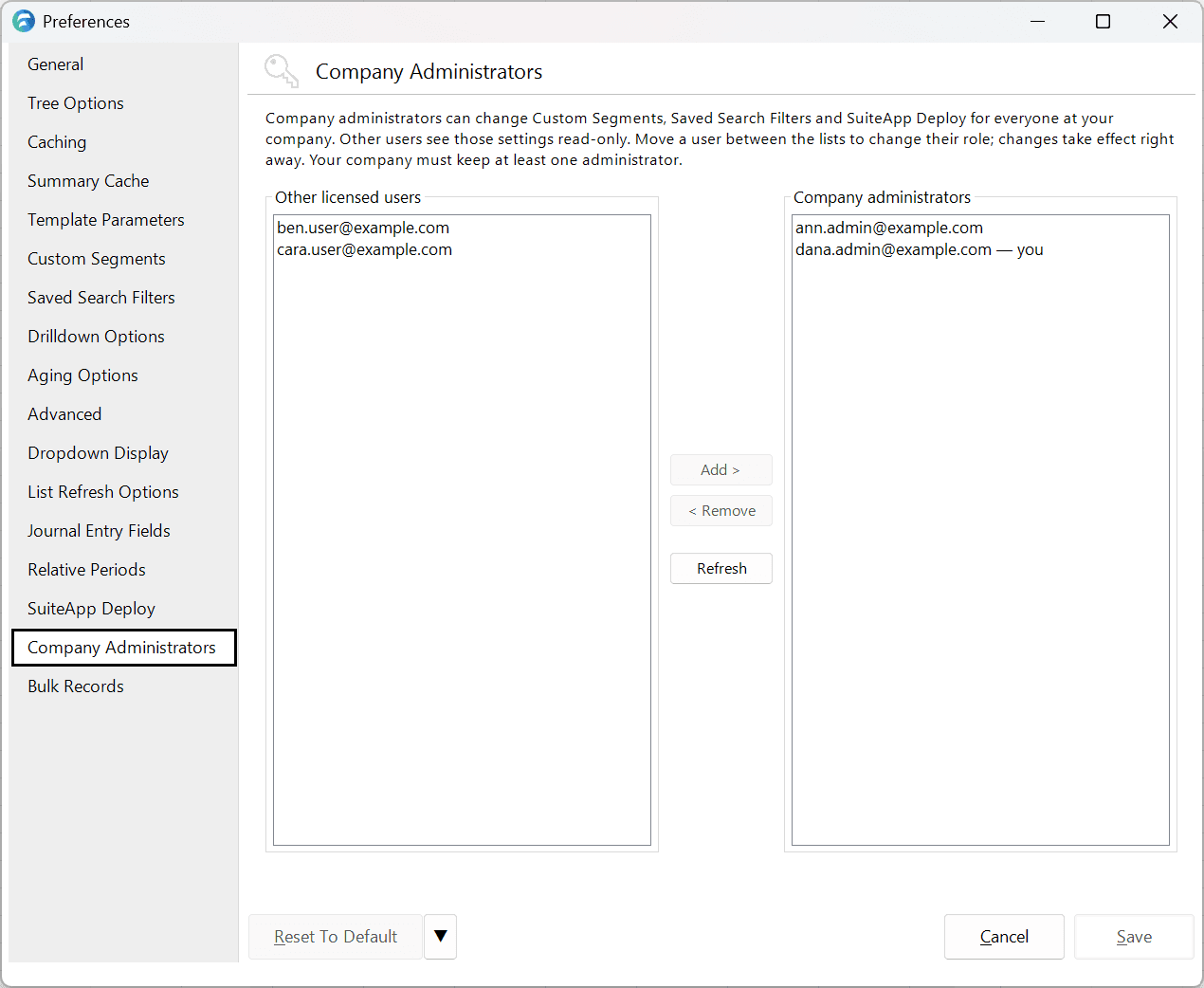
Each change takes effect as soon as you make it. You do not need to select Save.
Note: You cannot remove your company's last administrator. < Remove is unavailable while only one administrator is listed. If you remove yourself, you can no longer change company-managed settings or administrators.
What Other Users See
Once your company has an administrator, the Custom Segments, Saved Search Filters and SuiteApp Deploy panes are read-only for users who are not administrators. Each of these panes shows the notice "These settings are managed by your company administrator. You can view them, but only a company administrator can change them." Select Show Administrators to see your company's administrators.