Getting Started
Utilize This Documentation
This website is designed as a place to understand the functionality of every element inside of the Finsyte Excel Add-In for NetSuite. Utilize the different pages inside of the table of contents on the left-hand side of your screen to understand the tool better.
Just received an update on your license, check out What's New to learn more about the latest features.
Download the Finsyte Add-In
The Finsyte for NetSuite Add-In can be downloaded here (opens in new tab).
Minimum Technical Requirements
For the latest minimum technical requirements and NetSuite permissions required to access all needed NetSuite information from Finsyte, refer to our Minimum Technical Requirements Documentation.
Getting Started Guide
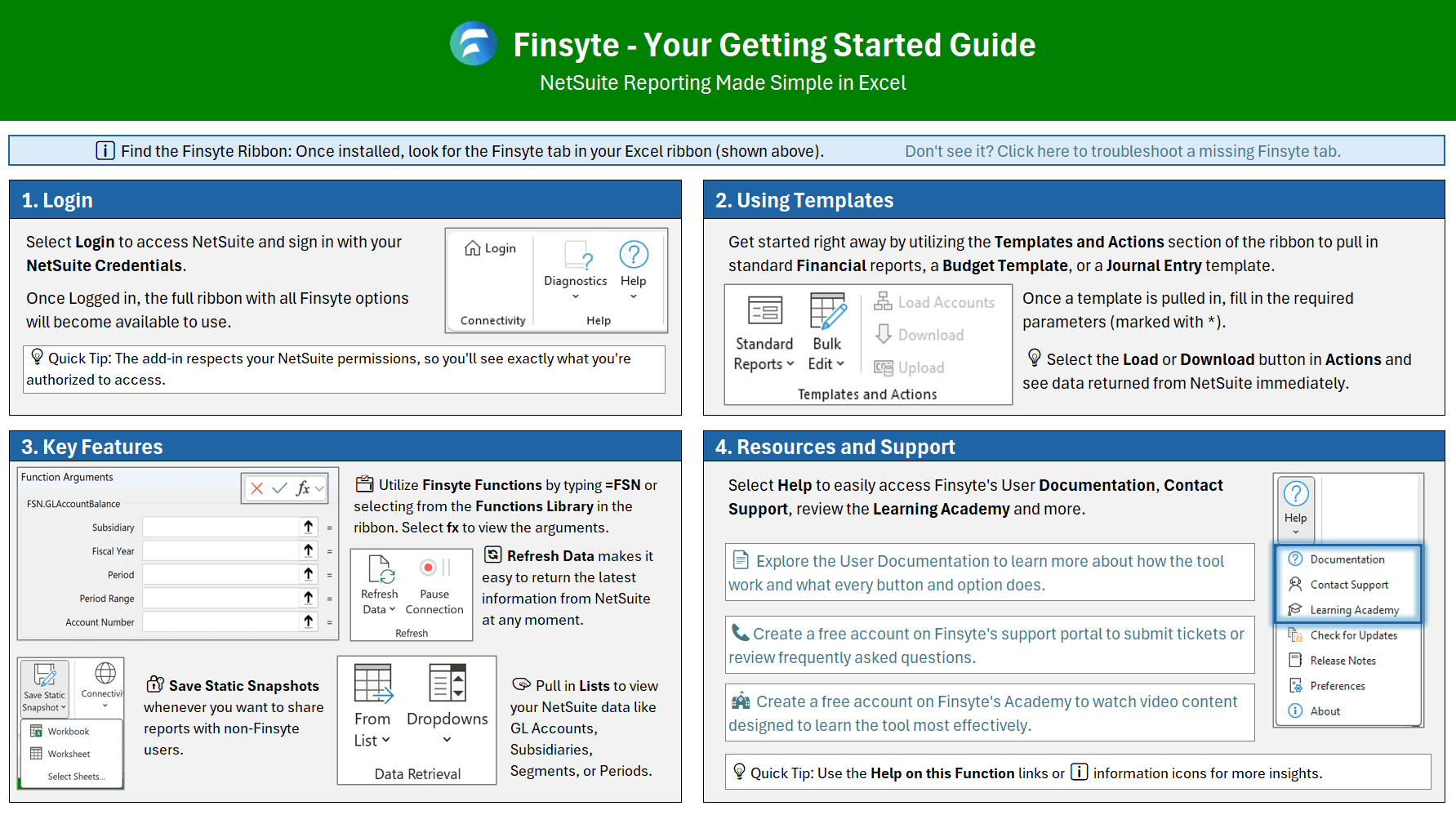
When opening Excel with the Finsyte Add-In for the first time, start by opening a blank workbook. The following Getting Started Guide will display automatically. It can also be accessed at any time via Help in the Finsyte ribbon.
Sign into your NetSuite Account
Upon the addition of Finsyte in your Microsoft Excel instance, a user will login to their NetSuite account to ensure permissions are met before returning information. Review the Connectivity section of the ribbon for more information.
Review the Finsyte Academy
Create an account on the Finsyte Academy (opens in new tab) to start learning!
Review the Finsyte YouTube Channel
Visit the Finsyte YouTube Channel (opens in new tab) for tutorials, feature walkthroughs, and tips on getting the most out of the Finsyte Excel Add-In — and don't forget to like and subscribe!
Submit Tickets to Finsyte Support
Visit Finsyte Support (opens in new tab) to submit a ticket and get help directly from the Finsyte team.