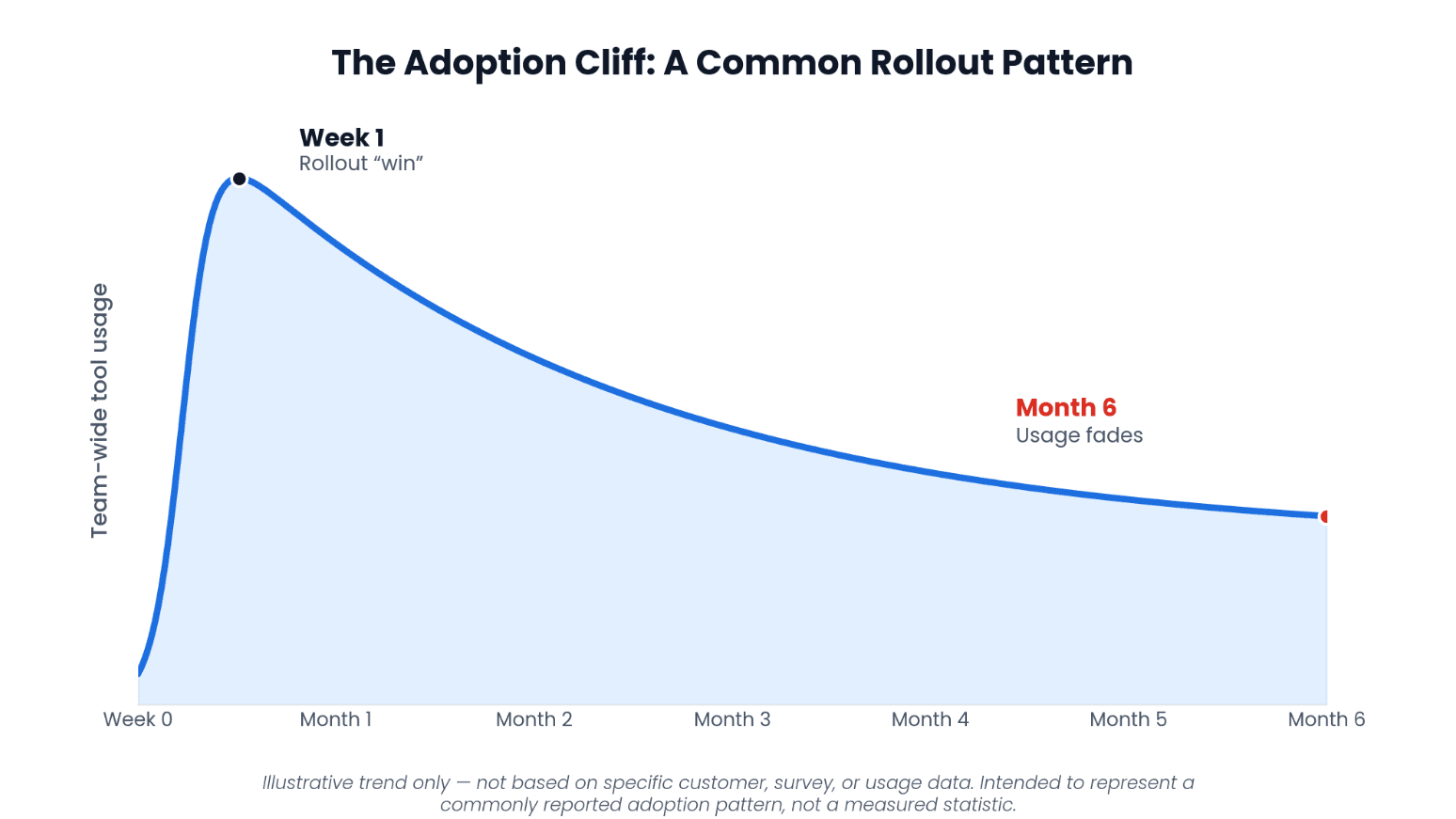
Every new reporting tool looks like a win in week one. The real test comes at month six. Your team picks a new tool, IT provisions access, finance runs through training, and for the first few weeks everyone's diligent about logging in. Then month-end hits. The people who never got fully comfortable with the new interface quietly go back to what they know — usually a spreadsheet cobbled together from an export. Six months later, the tool is technically "live," but half your organization never really adopted it.
If that sounds familiar, you're not alone, and it's not a training problem you failed to solve.
The Real Barrier to Technology ROI Isn't the Software
In Grant Thornton's 2025 Digital Transformation Survey, cited in Oracle's 2025 Midyear CFO Agenda (opens in new tab), executives named user adoption challenges as the leading reason past technology initiatives failed — not the technology itself. Technology modernization is a top CFO priority this year, but the report's own guidance acknowledges that getting people on board is the harder half of the equation.
That's a critical distinction when you're evaluating any new NetSuite reporting tool. A platform can have every feature on the checklist and still fail to deliver ROI if the people who need it never build the habit of using it.
Why Reporting Tools Often Hit an Adoption Wall
Most reporting platforms ask users to learn an entirely new interface — new navigation, new screens, new logic for building a report. That's a real barrier for everyone, including the finance and accounting teams who often fall back on familiar Excel exports and existing processes instead of fully committing to a new system.
Common friction points show up fast:
- A new login and portal that department heads have to remember to check.
- Unfamiliar navigation that turns a two-minute report request into a ticket for IT.
- Dedicated training sessions that only cover the basics and rarely stick.
- Permission requests and setup delays before a new user can even see their own numbers.
Each of these is a small thing. Together, they mean the tool stays only with the users who took part in the trial or initial training phase — months after it was supposed to be organization-wide.
Excel Removes the Learning Curve Entirely
This is where Finsyte takes a fundamentally different approach. Instead of asking your team to learn a new system, Finsyte brings live NetSuite data directly into Excel — the tool your team, and every other department, already uses every day.
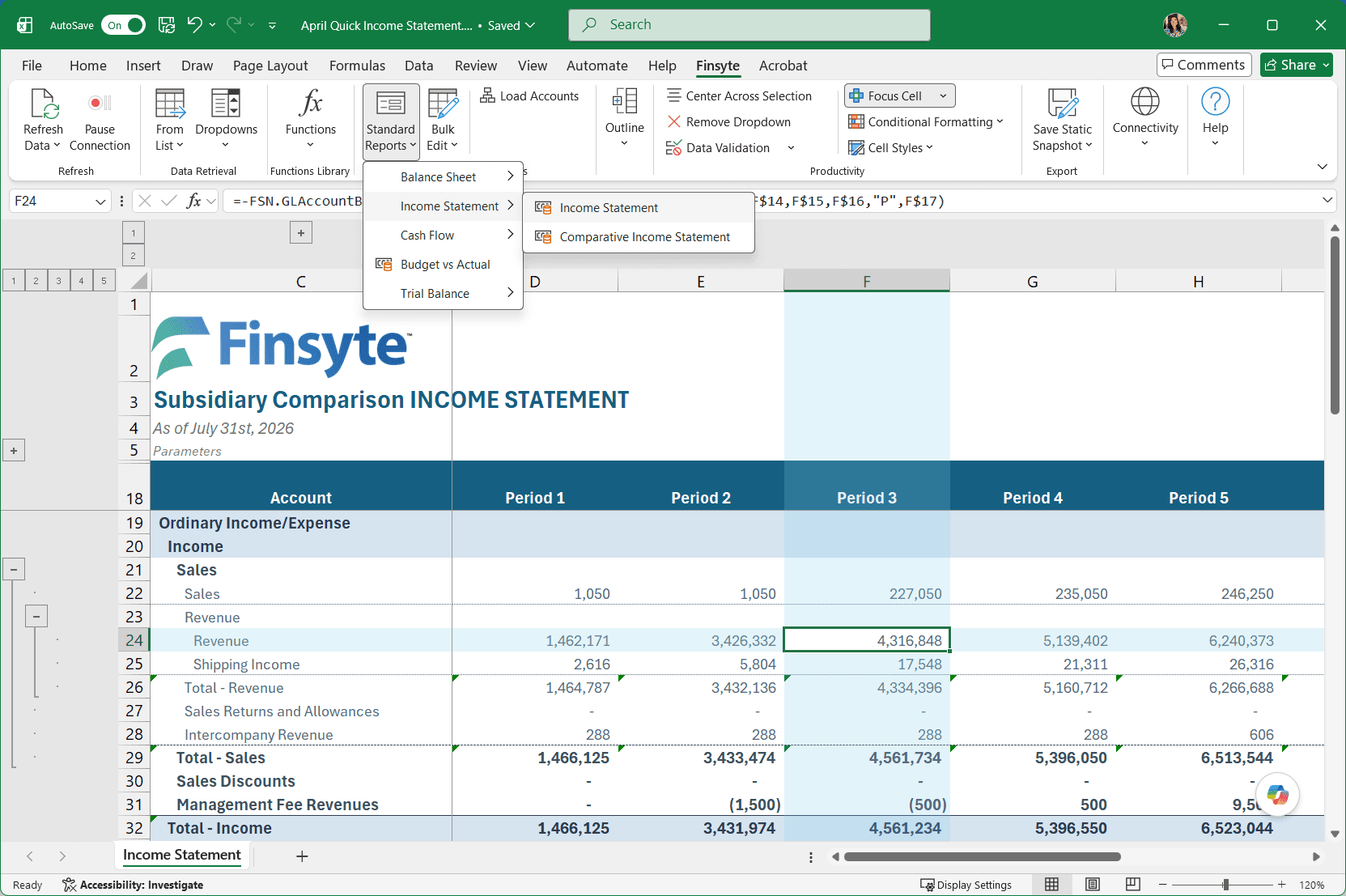
Finsyte's formula-first architecture means NetSuite data lives in individual Excel cells, not a static export or a refreshable table buried in another application. Pre-built templates for Balance Sheet, Income Statement, Cash Flow, and Budget vs. Actual are ready to use immediately. Drilldown works right inside the spreadsheet, so anyone can trace a summary number back to the source transaction without opening NetSuite at all.
If someone can build a spreadsheet, they can run these reports. There's no new UI to master and no separate login to remember.
Zero Learning Curve Means Faster Cross-Departmental Buy-In
The CFO Agenda also pushes finance leaders to strengthen partnerships across the organization — sharing dashboards and financial context with department heads so they can act on it directly. That's a hard ask if the reporting tool itself requires NetSuite fluency most non-finance leaders will never build.
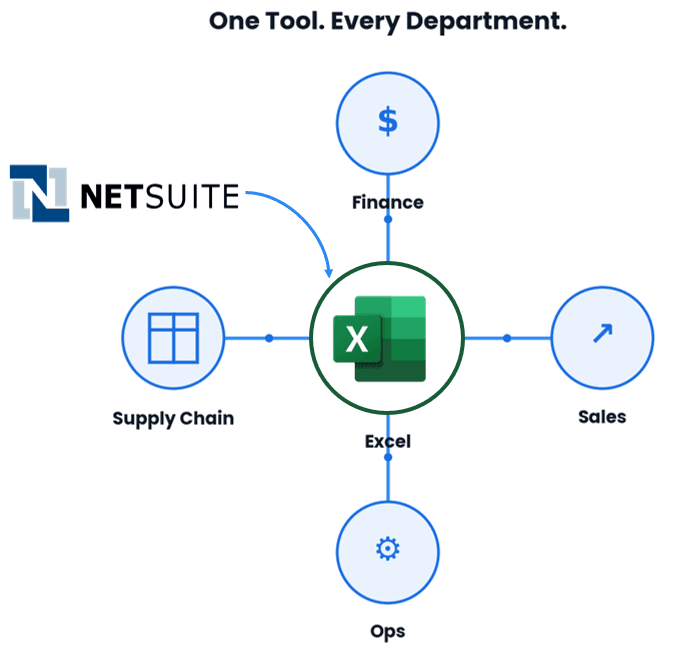
With Finsyte, that barrier disappears. An ops leader, a sales director, or a supply chain manager can open a live report in Excel without a single training session. They already know how to use the tool — they just need access to the numbers.
That's the shift that actually moves the needle on cross-functional data partnership: not another dashboard finance has to maintain and explain, but a report anyone can open and understand on their own.
The Self-Serve Model Doesn't Stop at Week One
Opening a live report on day one doesn't require training. But using a tool well over time is a different question — a new hire joins six months in, a department head wants to build their first budget vs. actual report instead of just viewing one, or someone half-remembers a formula they used once. None of that is a reason to fall back into scheduling time with finance or IT.
Finsyte backs that same self-serve experience with resources for exactly those moments. Full product documentation covers every part of the tool for quick reference and search. The Finsyte Training Academy offers on-demand video content for anyone who wants to go deeper on a feature or needs a refresher, on their own schedule. And if a question isn't answered by either, the support portal (opens in new tab) connects directly with the Finsyte team for a fast, specific response.
The result is adoption that holds up past the first week: people who weren't part of the initial trial or rollout can catch up on their own terms, instead of waiting on someone else's calendar.
The Question That Matters More Than Feature Count
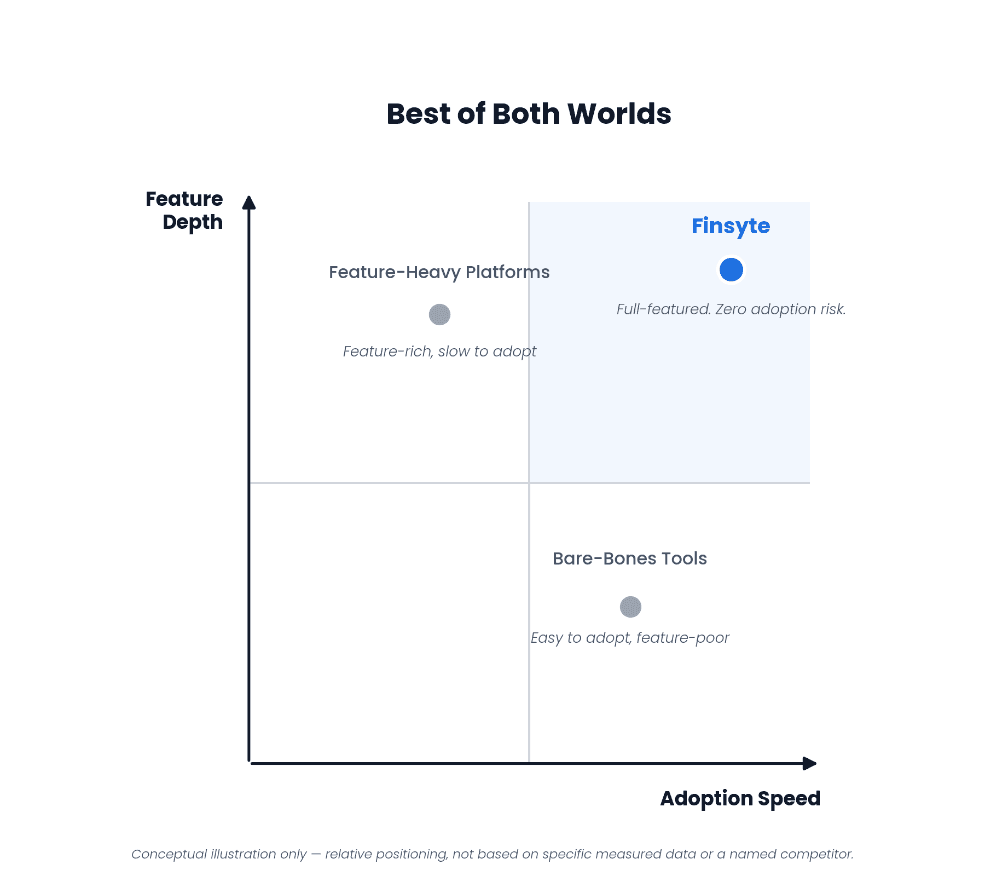
When you're comparing reporting tools, it's tempting to build a checklist of features and pick the longest one. A more useful question, and the one the CFO Agenda's own findings point to, is simpler: which tool will your team actually be using in 90 days?
Feature-rich platforms that require new workflows often lose that race. Tools built inside Excel don't have to win adoption — they already have it.
With that said, Finsyte doesn't make you choose between the two. Run it through a feature-by-feature comparison — live NetSuite connectivity, pre-built financial statement templates, drilldown to source transactions, budget vs. actual, multi-subsidiary consolidation — and it holds up on capability alone. Zero adoption risk isn't a consolation prize here; it's an added advantage on top of a tool that already competes.
The Bottom Line
The tools that actually pay off are the ones people use. Meeting your team where they already work — no new interface, no lengthy onboarding, no separate system for other departments to learn — is what makes that possible.
The best way to see that is to try it with your own data, not someone else's demo environment.
See for yourself how fast your team picks it up. Start your free trial and connect it to your own NetSuite data today. Want a guided look first? Watch a demo.